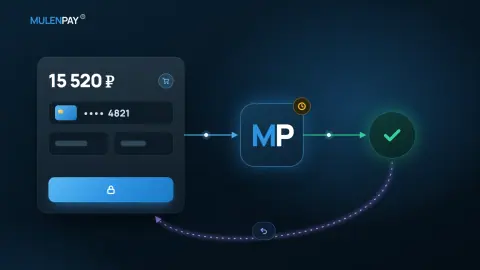


Fully without a connection, you can't pay by card: the bank has to approve the transaction, so you need at least one channel, whether wired internet, Wi-Fi, or a mobile network. But the data usage is small, and when something goes wrong, you can fall back on a backup channel, the terminal's offline mode, or a payment link that the customer can pay from their own phone.
Can you accept card payments with no internet at all?
In short: not fully, with approval from the bank. To charge a card, the terminal has to contact the acquiring bank, which checks the card, balance, and limits, requests a decision from the issuing bank, and sends back the response. Without that, the acquiring chain can't be completed.
What "offline" means in practice
Offline mode doesn't mean paying with no connection at all. It means delayed submission. The terminal reads the card data, stores the transaction in its memory, and sends it to the bank once the connection returns. At the moment of payment, nobody has actually approved it.
What the merchant risks
The customer walks away with the goods, but there's no confirmation. Later, the transaction may be declined: the card may have insufficient funds, or it may be blocked or lost. You are then left without payment and with no way to claim anything from the customer. This is especially dangerous for expensive purchases.
If the terminal offers to accept a payment offline, decide in advance the maximum amount you're willing to accept without confirmation.
When another channel can replace your usual connection
You don't necessarily need a wired connection, just any working channel to the bank. These options can help:
- a mobile hotspot from a smartphone;
- a SIM card from another carrier in the terminal;
- a second provider or a backup router.
You'll find more about these options in the following sections. 📶
How much internet does card acquiring need?
The payment itself needs very little data: a payment message with a request and the bank's response is extremely light. So what matters isn't speed but connection stability. A slow channel with no drops or latency spikes works better than a fast but unstable one.
What loads the channel
Most of the traffic comes not from payments but from related processes:
- updates to the terminal's software and the point-of-sale application;
- sending electronic receipts to customers and transmitting data to the fiscal data operator;
- syncing the register with the product database and the accounting system.
If the terminal, register, cameras, and guest Wi-Fi all share one channel, a payment may be delayed. It's best to give the terminal a separate network or priority.
Which type of connection to choose
- Wired internet or Wi-Fi suits a fixed location, provided the router is nearby and the signal doesn't drop.
- A 4G modem helps where there's no cable, and also serves as a backup.
- A SIM card in the terminal is convenient for couriers, mobile sales, and markets: the terminal doesn't depend on the local network.
How to check signal quality
Run several test transactions at different times, especially during peak hours. Pay attention to response time and dropouts. Check the signal strength at the spot where the terminal actually sits or hangs, not just near the router. 📶
If the connection keeps dropping in the same place, move the terminal or the router before switching carriers.
Terminal offline mode and its limitations
Some terminals can work offline: when the connection is lost, they save transactions in memory and send them to the bank when the network returns. The customer taps the card, the terminal prints a slip, but the money hasn't been charged yet.
The main risk: the money isn't guaranteed
Until the transaction reaches the bank, nobody has checked the card. That's why three scenarios are possible:
- the card has insufficient funds;
- the card has been blocked or lost;
- the bank declined the transaction for other reasons.
Meanwhile, the customer already has the goods, and the payment won't go through. Recovering the money will be difficult, especially with a one-time customer.
Amount limit for offline transactions
To limit your losses, set a maximum offline payment amount in the terminal settings. The lower it is, the less a potential decline costs you. For inexpensive items the risk is acceptable; for larger purchases, it's better to wait for the connection or offer another way to pay. Check the details with your acquiring bank: offline support depends on the terminal model and your contract.
Fiscal receipts
Without a connection, cash register equipment can't send data to the fiscal data operator. Usually the register accumulates receipts and sends them later, but this is only possible if legal requirements and register settings are met. For more on working with fiscal devices, see the section on online cash registers and fiscalization. Once the network is restored, check that all accumulated receipts and transactions were sent without errors. 🧾
Offline mode is an emergency measure, not a substitute for stable internet.
Backup communication channels for your point of sale
If the terminal depends on a single provider, any outage on the line stops payment acceptance. That's why it's better to plan a backup channel in advance rather than hunt for one during downtime.
A second SIM card and a mobile router
The simplest option is a SIM card from another carrier. If your main channel is wired or Wi-Fi, the backup will be the mobile network. If the terminal already works through a SIM, use a card from the carrier with better coverage in your premises, and check the signal strength in different parts of the room. A separate mobile router with its own SIM is a good fit when the terminal and register connect via Wi-Fi: it will serve both devices at once.
A smartphone as a last resort
Sharing internet from a smartphone helps during a short outage. Save the hotspot settings in the terminal and the register beforehand, so you don't have to enter a password in front of customers. Keep in mind that a phone drains quickly, so keep it plugged in. This approach isn't suitable for permanent use.
Terminals with several connection types
Modern models support Ethernet, Wi-Fi, and SIM. When choosing equipment, look at how many channels it can keep active at once and how priority is set. You can read more about accepting payments from mobile devices on the page about mobile payments.
Automatic switching and testing
- Set the channel order in the settings: primary first, then backup.
- Disconnect the primary channel and run a test transaction.
- Make sure the terminal switches back to the primary channel once it's restored.
- Repeat the check after changing equipment or carrier.
A backup channel that has never been tested can't be considered working. 🔌
Paying by QR code without internet
A QR payment can't be called fully standalone: a connection is always required; the question is on whose side.
What has to be online
- On the customer's side, always. Their phone has to open the payment page or banking app and send the confirmation.
- On the merchant's side, it depends on the type of code.
A printed static QR code doesn't require a connection on the merchant's side: the code is ready and sits on the counter or a sticker. But the customer enters the amount themselves, and the merchant will see the payment confirmation only once the network is available on their side or the cashier's. So during an outage, verify receipt of payment from the customer's message or from the screen of their banking app.
A dynamic QR code is generated for a specific order with an amount, so you can't get one without a connection on the merchant's side. If the network goes down, a pre-prepared static code will help. You can find more about the formats on the page about accepting payments by QR code.
Where QR codes help
- Mobile points of sale: couriers, tradespeople, and vendors at markets and fairs, where terminals and networks are unreliable.
- Transport: a sticker in a taxi or minibus doesn't depend on the driver's power supply or mobile internet.
- Events: in a large crowd the cellular network is overloaded, and printed codes at several counters ease the queue.
Keep a static QR code in several places and put the recipient's name next to it, so customers can confirm they're paying the right party. 📲
A payment link as a backup option
If the connection at your location is down and the terminal isn't working, the merchant doesn't have to take the card themselves and can instead send the customer a payment link. Only the customer needs internet: they open the page on their own phone, over a mobile network or someone else's Wi-Fi, and pay by card or another available method. The merchant needs just any channel to send the link, even a simple text message. You can prepare this option in advance using the payment link service.
Where it works best
- on-site services: a technician has finished the job at a location where their device has no stable connection;
- couriers: payment on delivery without a portable terminal;
- consulting, repairs, and rentals, where the invoice is issued after the service.
How not to lose a payment
Create a separate link for each invoice and put the order number or the client's name in the description. That makes it easy to match a payment to a service. Keep an eye on statuses: "awaiting payment," "paid," "canceled," or "expired." Hand over goods or consider work paid only after the "paid" status, not based on a screenshot from the customer. Turn on notifications for successful payments so you see them right away, and in the evening, review any unpaid links.
Security
Send the link only to the person who is paying, and through a trusted channel. The customer should make sure the page address matches your service and has no typos. Card details are entered only on the payment page; never ask for them in a chat or over the phone.
Don't use one link for several customers: it makes it harder to tell who has paid.
How to prepare for a connection outage
It's better to get through an outage with a scenario planned in advance than to improvise. That way the cashier doesn't waste time or argue with the customer at the counter.
Instructions for staff
Write a short cheat sheet and put it next to the register. Describe how to tell that the problem is with the network rather than the terminal, what to check first (router, SIM card, Wi-Fi), and whom to call. Add contact details for the person in charge and for the payment service's support.
Order of actions
Fix the sequence so everyone knows what to do next:
- Switch to the backup communication channel, for example mobile internet.
- If that doesn't help, send the customer a payment link.
- Offer payment by QR code.
- As a last resort, accept cash and record the sale.
Testing in advance
From time to time, simulate a network failure: disconnect the primary channel and go through the whole process up to payment. Note what worked, how long it took, and where staff made mistakes. Update the cheat sheet based on the results.
Checking payment methods
Review the pricing page and make sure the payment methods you need are enabled and suit your business. Do this before an outage: in the middle of an emergency, it's too late to set up something new.
A cheat sheet and tested scenarios matter more than any equipment: even the best backup channel is useless if staff don't know how to use it.