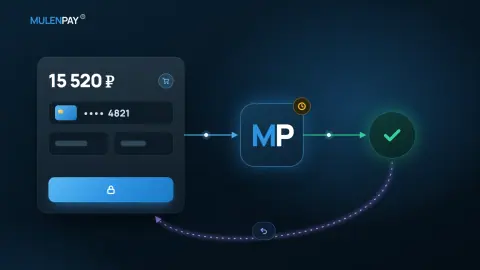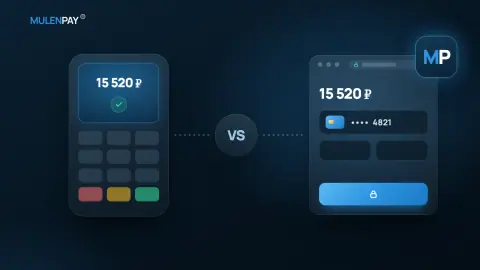


SBP is a transfer from the buyer's account to the seller's account through a banking app, while a card payment is a charge made using card details through acquiring. For a store, the difference comes down to how the buyer confirms the payment, how much acceptance costs, how refunds are handled, and what share of customers will choose each method. In most cases, it's more profitable to accept both methods rather than pick one.
How SBP and card payments work
The main difference is where the buyer confirms the payment and which parties stand between the buyer and the store.
Paying with SBP
The Faster Payments System is a Bank of Russia service that lets people transfer money instantly between accounts at different banks using a phone number or a QR code. In an online store, the buyer selects SBP, sees a QR code or taps a link, opens their bank's app, and confirms the payment there. No card details are needed: the buyer doesn't have to enter them, and the store doesn't have to process them. The chain involves the buyer's bank, SBP, and the bank that serves the store.
Paying by card
The buyer enters the card number, expiration date, and CVC on the payment page. The issuing bank then usually requests confirmation via 3-D Secure, for example a code from an SMS or a push notification. After that, the acquirer sends an authorization request through the payment system to the issuing bank and receives a response. There are more parties here: the issuer, the payment system, and the acquirer.
What this means in practice
- On desktop, a QR code is convenient because the buyer scans it with their phone. On a smartphone, it's better to show a link button so that the banking app opens.
- For card payments, it's important that the payment form is simple and that 3-D Secure confirmation doesn't break the session.
Buyer flow and conversion
The buyer's path with SBP
On mobile devices, SBP wins on simplicity: the buyer taps the pay button, their bank's app opens, they confirm the payment and return to the site. There's no need to enter the card number, expiration date, or CVC, so there's no risk of typos. On desktop, the flow is longer: the buyer has to scan the QR code with their phone, and some buyers drop off at this step.
The buyer's path with a card
Cards are familiar: many people pay with them without thinking, and saved details let customers pay for a repeat order in one click. This is a strong advantage for stores with regular purchases. The first payment is more complicated: the buyer enters their details manually, and this is where orders are lost.
- Errors in card details: a wrong number or expiration date forces the buyer to re-enter the data.
- 3-D Secure failure: the code didn't arrive, the confirmation timed out, or the bank declined the transaction.
- Distrust of the form: an unfamiliar card entry page makes buyers wary.
How to assess the impact on conversion
There's no universal answer to which method converts better: the result depends on your audience, share of mobile traffic, and average order value. Compare the share of completed payments out of those started for each method using your own data, separately for mobile and desktop users. For more on the factors involved, see our article on what affects payment conversion. 📊
Fees and the cost of acceptance for business
Comparing SBP and cards by a single figure in the tariff is a mistake: what matters is the total cost of accepting a payment.
What card fees consist of
The card rate has three parts: the interchange fee (which goes to the issuing bank), the payment system fee, and the acquirer's margin. For more on the structure, see our article on what makes up the acquiring fee. The final percentage depends on the card type, the business category (risk, average order value, share of refunds), and turnover. That's why two stores selling different goods may pay different amounts for the same transaction.
SBP rates
For business, the cost of accepting SBP payments is not the same for everyone: it is set by the agreement with a bank or payment provider. Terms depend on turnover, industry, and the set of services, so ask for individual rates rather than relying on averages.
What to consider when comparing
- Refunds: whether the fee is kept when a refund is made and whether there's a charge for the operation itself.
- Settlement times: the faster the money reaches your account, the less working capital you need.
- Additional payments: a subscription fee, a minimum monthly payment, a connection fee.
- Disputed transactions: possible losses if a payment is contested.
Calculation example: don't compare "percentage versus percentage," but the net amount you keep after refunds and all deductions for the month. 💡
Refunds, recurring payments, and disputed transactions
Refunds
A refund to a card is usually made through the acquiring interface: the money goes back to the same instrument it was paid with. The issuing bank doesn't credit it immediately, and the buyer often waits several banking days. In SBP, a refund is also made on behalf of the store through the payment provider, but it goes out as a reverse transfer to the payer's account, not to a card. Let the customer know that the amount will be returned by the same method they paid with.
In both scenarios, provide for a partial refund, for example when one item from an order is canceled. And don't forget the refund receipt: it must be issued in the same way as a sales receipt.
Disputed transactions
Card payments are subject to the chargeback procedure: the buyer can dispute a charge through their bank, and the store will have to prove that the order was fulfilled. For more on how it works, read what a chargeback is and how to handle it. SBP has no such procedure: the payment is confirmed by the customer and considered final, so disputes are resolved directly with the store. Keep correspondence, delivery confirmations, and order data.
Recurring payments
Subscriptions and auto-renewals are easier to build on cards: the customer agrees to charges once, and the store receives a token and initiates subsequent payments itself. In SBP, each payment usually requires action from the buyer, so this method is less convenient for regular payments.
For subscriptions, keep the card as the main method and offer SBP for one-time purchases. 💡
Security and limitations of each method
Card: multi-layered protection
When paying by card, the buyer enters their details on the payment form, and the issuing bank confirms the transaction via 3-D Secure: usually a one-time code or a push notification in the app. For repeat purchases, card data can be replaced with a token, so the store doesn't keep the real number. If card details are entered on your side, PCI DSS requirements apply. A payment form hosted by the provider significantly reduces this burden.
SBP: confirmation in the bank's app
The buyer follows a QR code or link, selects their bank, and confirms the payment in its app. Card data isn't passed to the store or the payment form, so the risk of details leaking from the site is lower. The main risk shifts to the customer's side: fake QR codes and phishing links.
Limits and audience
The maximum payment amount is set by the buyer's bank or the seller's bank, so a large order may not go through on the first attempt. For expensive goods, it's worth keeping a second payment method.
Foreign cards don't work in SBP. If your customers include buyers from abroad, without card acquiring you'll lose some orders.
That's why SBP is best viewed as a complement to cards rather than a replacement.
Which payment methods to connect and how
Starter set
Start with bank cards and SBP: this pair covers most buyers. Cards are familiar to those who pay in one click and store their details in the browser. SBP is chosen by those who don't want to enter card details and prefer to confirm the payment in a banking app.
What to add on top
SberPay makes sense if your audience actively uses the Sber app. Pay in installments can raise the average order value in expensive categories: electronics, furniture, clothing. For low-priced goods, this method is more often unnecessary and only complicates the payment form.
How to connect
- Compare the terms on the pricing page and choose a set of methods that fits your average order value.
- Set up the integration and run test payments for each method.
- Check the entire flow: payment, notification, order status, refund.
Adjusting the set
After 1–2 months, compare the share of each method, conversion, and refunds. If a method is barely used and has no effect on conversion, remove it. If it's chosen often but orders are canceled more frequently, find out why. 🙂
Don't display every possible method on the payment page at once: a long list gets in the way of choosing.